RAM (Random Access Memory) is an essential component of any computer, enabling the computer’s CPU to store and access data quickly.
There are many different types of RAMs and computer memory available in the market, but the two most common types today are the DDR3 and DDR4 memory modules.
While DDR5 (which is newer and more advanced than DDR4) has been launched since 2021, it is still quite expensive, so it’s not yet widely adopted. This means that most people still rely on DDR4 and DDR3 memory modules for their computers.
However, sooner or later, you may want to replace your RAM either to upgrade to a bigger size (i.e., upgrading from 4GB to 16GB) or to the newer DDR5 modules discussed above. Consequently, you may be looking to sell your old DDR3 and DDR4 modules, which may still have some resale value.
In this article, we will explore the top places to sell your DDR3 or DDR4 memory modules. We will discuss the pros and cons of each option, how to sell to these places, and what to expect in terms of pricing, convenience, and service. As a bonus, we will also discuss how to determine fair pricing for your DDR3/DDR4 modules based on their condition and market demands and the best practices for selling memory modules.
So, whether you’re currently looking to upgrade your computer’s RAM module or simply looking to declutter your old IT assets, this article will provide you with all the information you need to successfully sell your used memory modules and maximize their value in the current market.
Let us begin.
First things first, how much will your DDR3 or DDR4 RAM be worth? If you don’t know a fair resale value, it will be difficult to get a fair deal for your used memory module, even if you are selling to the right place.
Here are a few tips on how to calculate the resale value of your used DDR3 or DDR4 memory:
Based on the information you’ve gathered, you can set a fair and realistic price for your memory module. Make sure to set a price that is fair for both you and the buyer. If you price the module too high, it will be more difficult to find a suitable buyer.
If you are looking to sell your old DDR3 or DDR4 module, today, there are a number of places you can do so.
In this article, we’ve researched a wide variety of these options and have narrowed it down to the top 5 places based on the following criteria:
The table below is an overview of the top 5 places we’d recommend, allow with their pros, cons and unique characteristics;
| Place to Sell | Overview of Services | Pros | Cons | How to Sell | Pricing, Service, and Convenience |
| Big Data Supply Inc. | Specializes in buying, recycling, and reselling used IT assets, including RAM memory. Offers secure data erasure, environmentally responsible disposal or recycling, fair pricing, and hassle-free process. Has R2, RIOS, and ISO 9001:2015 certifications. | Environmentally responsible disposal and recycling. Secure data erasure. Fair pricing. Certified and reputable. | May not offer the highest prices. | Contact Big Data Supply Inc. for a quote. | Fair pricing, impressive service excellence, hassle-free process. |
| Technimove IT Asset Disposal | Helps customers recycle redundant and unwanted IT equipment, including RAM memory. Offers GDPR-compliant data destruction, fast and flexible service, and competitive pricing. Has ISO 9001:2015 and ISO 14001:2015 certifications. | GDPR-compliant data destruction. Fast and flexible service. Competitive pricing. Certified and licensed waste carrier. | May not offer the highest prices. | Contact Technimove IT Asset Disposal for a quote. | Competitive pricing and flexible service. |
| Sims Lifecycle Services | Offers IT asset disposition and electronics recycling services for businesses. Offers data security, value recovery, compliance, and sustainability. Has R2 certification and a sustainability calculator tool. | Sustainable and compliant disposal and recycling. Data security. Reputable and certified. | May not be available or interested in all cases. | Contact Sims Lifecycle Services for a quote. | Compliance, sustainability, and data security. |
| Online Marketplaces | Platforms like Amazon, eBay, or Craigslist that allow sellers to reach a wide range of potential buyers online. | Wide reach and visibility. Easy to use. Resources for secure transactions. | High fees. Competition. Shipping challenges. | Set up a seller account and create a listing. | Varies depending on the marketplace. Higher competition, packaging/shipping challenges. |
| Local Computer Stores | Stores near the seller's location that may be interested in buying used RAM modules for resale or replacement parts. | Fast and cash transactions. Easy to find and contact. | May not offer the highest prices. May not be available or interested in all cases. | Visit or contact local computer stores to inquire about their interest in buying used RAM modules. | Varies depending on the store. May offer lower prices than other options. |
Note: For online marketplaces and local computer stores, the pricing, service, and convenience columns are subjective and may vary based on the individual seller's experience and circumstances. These are general guidelines to help potential sellers compare their options.
Below, we will discuss each one of these places.
Big Data Supply Inc. is a specialist IT Asset Disposition (ITAD) company that specializes in buying, selling, and recycling used corporate IT assets, including RAN memory modules.
The company’s main mission is to help businesses and organizations manage their surplus or used IT assets in a secure and environmentally responsible way. They will purchase your DDR3 or DDR4 RAM modules with a fair price and in a no-hassle way.
Big Data Supply Inc. has locations in Southern California, Singapore, and the Netherlands, and have more than 20 years in the ITAD industry.
As a specialist ITAD company, Big Data Supply Inc. buys and sells used IT assets, including servers, hard drives, network equipment, and RAM modules.
For those looking to sell their used DDR3 or DDR4 RAM modules, Big Data Supply Inc. offers the following benefits:
Pros:
Cons:
Big Data Supply Inc. offers a hassle-free way to sell to them:
To summarize, Big Data Supply Inc. focuses on providing a transparent and hassle-free process for buying and selling used corporate IT assets, including DDR3 and DDR4 RAM modules. They offer competitive and fair pricing based on current market demand, and can ensure secure data wiping or even (environmentally responsible) recycling or physical destruction when necessary.
They offer a convenient and secure way to sell your RAM modules with excellent customer service.
Similar to Big Data Supply Inc., Sims Lifecycle Services is an ITAD company that specializes in buying, selling, and recycling used corporate IT equipment. They specialize in providing comprehensive ITAD services that include secure data wiping, value recovery, physical destruction, e-waste recycling, and logistics.
Sims Lifecycle provides secure data erasure services that comply with HIPAA, FACTA, and other standards/regulations.
Pros:
Cons:
If you are looking to sell your DDR3/DDR4 RAM modules or other IT assets to Sims Lifecycle Services, simply fill out a form on their website, and you have two different options:
Sims Lifetime Services offers a professional and comprehensive service that includes secure buying/selling, logistics, data security, and compliance. They offer a fair and competitive price for your used DDR3 or DDR4 RAM modules and excellent customer service.
However, they may not offer the best possible price for your used RAM modules or IT equipment. So, if you want to maximize value, you may want to consider selling it to another ITAD company.
Technimove IT Asset Disposal is another certified ITAD company that specializes in secure and environmentally responsible IT asset disposal/recycling services. They are one of the very few companies in the world that hold the rigorous ADISA certification, meaning they offer the highest security and ethical standards.
As an ITAD company, Technimove offers a wide range of standard ITAD services, including
Technimove also offers a range of additional services, including auditing, consulting, and training.
Pros:
Cons:
Selling your used RAM module to Technimove is relatively simple:
What to expect:
Technimove is a relatively smaller company than Big Data Supply Inc., so it may have limited resources that could impact its reach and ability to offer certain services or meet specific requirements.
Yet, Technimove offers fast and flexible services while also offering competitive pricing for used RAM modules and other IT assets.
Another viable option is to try selling your DDR3 or DDR4 RAM modules on online marketplaces such as Amazon, eBay, or even Craigslist, among others.
With these platforms, you list your used RAM modules on the platform to sell them directly to consumers. This means you technically have the most flexibility and freedom, as you can set your own prices and decide on which buyer to sell your goods. However, there are also a few disadvantages, as we’ll discuss below.
Pros:
Cons:
How to sell on online marketplaces:
The actual steps of selling your DDR3 or DDR4 modules may vary on different marketplaces, but the basic steps are:
What to expect:
Selling on online marketplaces means more flexibility. You can set your price and manage the sale on your own, but you’ll also need to do everything by yourself.
Keep in mind, however, that finding potential buyers on online marketplaces can be challenging and time-consuming, especially if there are many sellers offering the same or similar DDR3 or DDR4 modules.
Last but not least, especially if you are only selling one or two RAM modules, selling to your local computer store can be a viable and cost-effective option.
Look for local computer stores in your area that purchase used hardware. Depending on the condition of your modules and your negotiation skills, you may be able to get a favorable price.
Pros:
Cons:
How to sell at local computer stores:
The basic steps of selling your RAM modules at local computer stores are:
If you have multiple potential stores in the area, consider visiting several, so you can compare their offers and get the best price possible.
What to expect:
Dealing with local computer stores can offer more volatility in price depending on your negotiation skills, your RAM’s condition, and other factors.
However, the convenience you’ll get, immediate (cash) payment, and the potential for higher prices can make selling your goods to these local stores an attractive option.
Throughout this article, we have explored the top 5 avenues for selling your DDR3 and DDR4 memory modules, including Big Data Supply Inc., other ITAD companies, online marketplaces, and local computer stores.
While each option has its own pros and cons, in most scenarios, especially if you are looking to sell in bulk, we recommend contacting Big Data Supply Inc. with their expertise in IT Asset disposal, competitive pricing, and certifications in R2 and RIOS.
Nevertheless, when selling your used RAM module, aim to find a balance between price, convenience, and the reputation of potential buyers.
No matter how well a data center has served its purpose, sooner or later, it–or the technology within the data center, must be retired.
This is where data center equipment repurposing comes into importance, allowing us to find new uses for retired IT assets and equipment previously used in the data center. We can “repurpose” data center equipment in several different ways, including reusing the equipment in another way (within the same data center/organization or otherwise), selling it to another party, donating it to charity, and so on.
In this article, we will discuss all you need to know about repurposing data center equipment, including:
And more.

Let us begin this journey by exploring the concept of data center equipment repurposing and its benefits.
All technology hardware, infrastructure, and software that are used in a data center will reach the end of their operational life for one reason or another: failure, becoming obsolete due to new technologies being adopted, and so on.
So, how can we maximize the ROI of these technologies and equipment that would otherwise be retired? The answer is repurposing the equipment rather than decommissioning it, recycling it, or discarding it entirely.
There are many different viable options to repurpose data center IT assets, but we can differentiate them into four main groups:
The best way to repurpose each piece of equipment will vary depending on the equipment itself, the need of the data center/organization, and other factors. This is why the repurposing process should begin with a thorough assessment to determine the equipment’s condition, capabilities and identification of potential use cases. We will further discuss the actual repurposing steps later in this guide.
Yet, regardless of the options taken, repurposing can be a great way not only to maximize ROI and save money, but also to reduce environmental impact and benefit society in general. We’ll discuss these benefits in the next section.
Why do you need to repurpose your data center’s end-of-life equipment? There are actually multifaceted considerations:
E-waste (electronic waste) is now the fastest-growing type of waste in the world, comprising 70% of the world’s overall toxic waste. E-waste continues to become a mounting environmental concern due to several factors:
E-waste and energy concerns are a global issue, including in developing countries, where the disposal issue is becoming more and more serious. Repurposing data center equipment instead of straight-up disposal offers a more sustainable way to mitigate these environmental issues.
Repurposing IT equipment would also allow organizations to adopt more sustainable practices while, at the same time, saving the company money and resources in various ways:
To summarize, repurposing end-of-life or retired data center equipment can provide the following benefits:
Not all pieces of hardware can be repurposed. For example, if a server is already non-functional, most likely, it can’t be repurposed and must be disposed of.
With that being said, repurposing data center equipment should begin with a systematic process of evaluating existing IT assets after establishing selection criteria.
The first thing you should do is to assess and inventory all of your data center’s IT assets: servers, hard drives, SSDs, networking peripherals, and so on.
Make sure to also include specifications, conditions, age, current performance data, and usage history, among other relevant details.
You can either conduct a physical inventory (or manual inventory) or automated (software-assisted inventory)
In manual inventory, you manually inspect the different IT assets while identifying their type, make, model, condition, etc. Or you can use asset management software to streamline and automate the assessment and asset tracking process. There are various software solutions available in the market that can help you track your IT assets, their condition, age, etc.
Some additional tips to consider regarding asset inventory:
When assessing and evaluating IT assets, there are a few important criteria to consider for determining suitability for repurposing:
Despite the benefits, there are a few challenges and obstacles organizations may face when attempting to repurpose their data center equipment. Here, we’ll explore some of the most common challenges and provide actionable strategies to tackle them.
Failure to safeguard sensitive/personal data during the repurposing process won’t only expose the organization (or its customers) to data breaches and other cybersecurity threats, but may also lead to compliance violations (which may result in legal or financial damages.)
It’s critical to make sure all data is properly wiped or destroyed from any equipment that stores data before it is repurposed.
Many organizations (or people within the organizations) are not yet aware of the importance and benefits of repurposing retired equipment. They may rely on traditional approaches like disposing of the equipment in landfills or incinerating their retired equipment.
How to tackle this issue:
Some organizations may not have the internal expertise to repurpose their retired equipment, leading to inappropriate practices. In turn, this can cause problems like security vulnerabilities and compliance issues.
How to tackle this issue: Build in-house expertise by investing in training programs, including for maintaining repurposed equipment. If necessary, get external help.
Older IT assets may not be compatible with newer applications and technologies, so integrating repurposed equipment into another system or infrastructure can be challenging.
How to tackle this issue: Conduct thorough compatibility checks. Confirm compatibility of candidates with existing applications and technologies before committing to repurposing.
Ensuring compliance with relevant regulations and laws (i.e., data privacy, environmental, etc.) when repurposing data center equipment can be demanding and sometimes confusing.
How to tackle this issue: Stay updated with relevant laws and regulations as well as certifications and develop comprehensive plans to ensure adherence.
Older equipment may have (hidden) performance and reliability issues, which may result in higher potential downtime, higher maintenance costs, or suboptimal performance when the equipment is repurposed to a new role.
How to tackle this issue: Continuously monitor the repurposed assets and check whether they perform as desired in the repurposed role.
A viable solution to repurpose your data center equipment while tackling the challenges above is to partner with a specialist IT asset disposition company like Big Data Supply Inc.
Big Data Supply Inc. is an experienced and certified IT asset disposition company that specializes in repurposing data center equipment and offers a comprehensive range of repurposing services, including:
Big Data Supply Inc. is a RIOS and R2v3 certified IT asset disposition company, with both certifications only given to companies that closely follow the best practices specifically for electronic waste and the electronics industry in general.
Big Data Supply Inc. has an audited management system in place, which ensures a consistent level of responsible and safe processes anywhere and anytime.
Now that we’ve reached the end of this guide, let’s reflect on the importance of responsibly repurposing your data center equipment in a variety of ways:
In short, opting for repurposing your data center equipment won’t just benefit you financially, but will also allow your business to contribute towards a more eco-responsible and sustainable future.
Reach out to Big Data Supply Inc. today, so you’ll get a reliable partner in your repurposing journey.
With digital technology on the rise, data is quickly becoming the central core of an enterprise’s value. Data is what guides companies to make consumer focused decisions in order to improve products and services in a competitive market. Data destruction is not usually top of mind for most organizations. That’s why realizing the potential security and financial risks companies face by not properly destroying their data is detrimental to future success.
The proper steps must be taken to prevent data breaches and ensure your customers’ and organization’s sensitive data has been completely disposed of. In order to get a better understanding of why protecting your data is important, let’s explore data destruction behavior and its impact.
With improper data destruction practices, some of the negative consequences your company could potentially face include:
The cost of proper data destruction is minimal compared with the potential costs of someone accessing your personal data. According to Protiviti, a global business consultant firm for Fortune 1000 and 500 companies, “One in three companies lack policies for information security and data encryption.” Having a secure data destruction process is crucial. Much of the time, sensitive data ends up in the hands of IT employees without the proper procedure to properly dispose of critical information. Hackers are aware of this common issue and are readily available to steal your enterprise’s crown jewels.
Many companies are migrating to the cloud and may relocate their data centers every few years, leaving servers full of private information. Just as any other company, data centers must make sure they plan ahead for data destruction processes in order to stay within the set budget and with minimal operational interruptions for their clients.
For proper data destruction practices, make sure you take electronics to a reliable third party service if your organization does not perform data destruction services in-house. To prevent your company from external data leaks, make sure you are properly destroying old storage media or hire someone who is trusted to do it for you efficiently and eco-friendly like Big Data Supply, Inc. Our processes meet or exceed all laws, acts and compliance regarding data destruction such as HIPPA, Sarbanes-Oxley (SOX), Department of Defense (DOD) and more.
Here at Big Data Supply, Inc., we offer an eco-friendly e-waste recycling program for all tape formats and brands. We comply with multiple laws regarding consumer data including HIPAA, FACTA, SEC, and more. Contact us today and we’ll take care of your data destruction needs no matter how large or small.
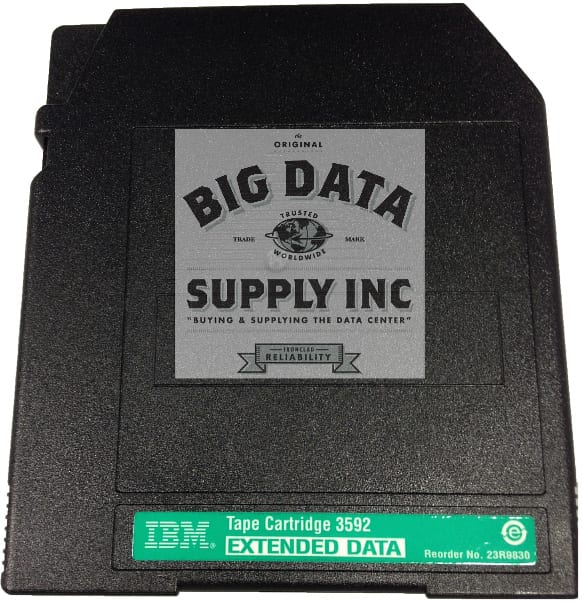
For businesses that require large amounts of archival storage, you need an effective and secure method to keep all of your records readily available. LTO tapes, similar to new IBM 3592JC 4Tb and Oracle T10000 tape, are ideal for large amounts of media that needs to be stored and are often utilized by medium businesses to large enterprises. With large amounts of memory available in a compact and convenient package, LTO media can be your go-to storage solution.
Data tapes just like IBM 3592JC 4Tb certified or IBM 3592JD 10Tb certified tape cartridges are one of the most trusted methods for backing up large amounts of data. LTO data tapes are one of the newest innovations in the tape drive marketplace and are manufactured by companies such as TDK, Sun Oracle, Sony, and Quantum. LTO 6 tapes have a low starting price point, but still offer massive amounts of data space for your digital media. Compressed data capacity on LTO 6 data tapes are 2.5 to 6.25 TB, with transfer speeds of up to 400MB/s. The way they operate is LTO data tapes writes data on magnetic tape, which can be read with the use of compatible tape drives. Data is placed in sections along the tape and the drive allows you to access the exact media you need quickly. The amount of data found on the tape dictates rewind times, but they are typically under a minute. Access times are even quicker and can clock in at about 45 seconds or less. Transfer rates are constantly improving with LTO 6 tapes being the fastest currently.
LTO is an advancement in the field of magnetic tapes since it boasts a more compact design. The tapes have been optimized for high storage capacities and reels are typically only a half-inch on the cartridges. Even with large amounts of archival data, you won’t have an issue finding what you need on the tapes. A catalog file is updated each time new data is added onto the media. The catalog files can also be used as backup methods for the data stored. Security is always a concern, especially amongst business owners who handle files containing medical or financial information. This is why many of the tapes come with advanced encryption standards in place to prevent the data from being compromised.
Since LTO 6 tapes aren’t required to directly work with your company's operating system, they are not dependent on what type of computer you have. They are also portable, so you can use LTO tapes to store archival files from multiple locations. One of the major benefits of this storage media is the impressive lifespan of the cartridges. Each tape boasts an archival life of approximately 30 years. The rugged body construction of the data tapes helps ensure longevity.
For firms that are no longer utilizing data tapes, there may be uncertainty over what to do with the media. In this case, you should sell your tape drives a company like Big Data Supply. We can eliminate all existing data on the tapes in order to ensure you remain in compliance with privacy laws and regulations. As part of our data removal process, the company ensures that all media on the tapes is no longer recoverable. They also buy data tapes from companies who no longer require the storage devices and only resell the products after all data has been completely destroyed.
Big Data Supply is available to answer all of your questions about LTO tape media products and uses. Give us a call today or fill out our short form for more information on LTO 6 tapes to discuss what type of data center supplies your business can benefit from.
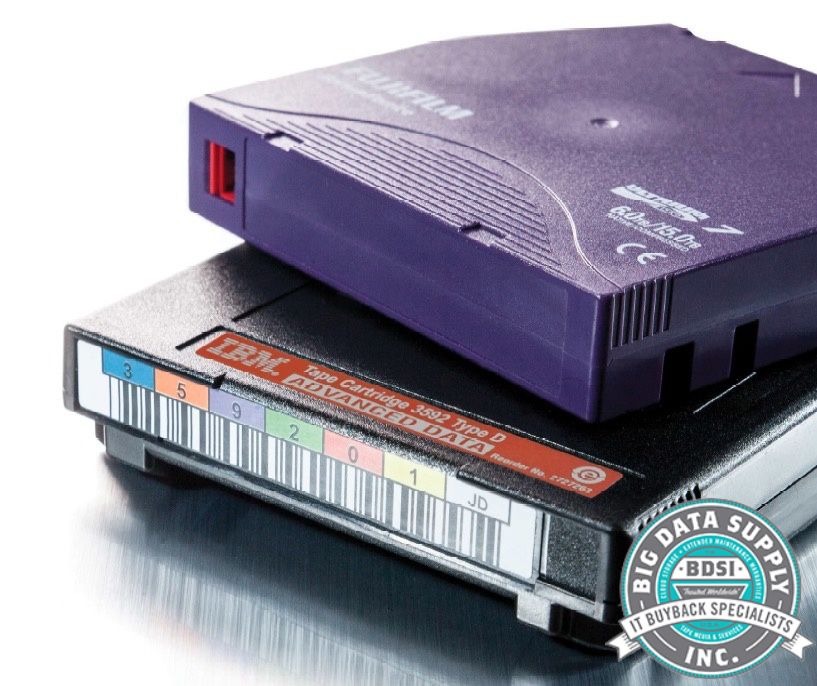
Many people are under the impression that we have moved past using tape storage and it seems more like an outdated solution. It goes without saying that losing crucial data can be more costly than implementing a robust data protection plan. In this digital era, people are more inclined towards using hard drives and cloud backup with large storage capacities. The newer generation might not have even heard about tape media drives & cartridge. But, this is not true!
Organizations are still using tape storage such as new IBM 3592JC 4Tb and HP LTO-4 Ultrium Cartridges in California, to store data or create backups. It is a viable option, and in multiple cases, it is far more popular than online storage methods. With such popularity in recent times, let’s discuss why this storage mode/method is still relevant today!
WHY IS TAPE STORAGE STILL RELEVANT TODAY?
Tape storage was created when the first modern computers were found, back in 1950s. Back then, tape rolls could easily hold one megabyte of data on a tape storage. In recent times, tape storage has evolved significantly. Keeping up with the revolution of the likes of USBs, SSDs, and HDDs, there are tape storage devices like Oracle T10000 tape and certified IBM 3592JC 4Tb that could store up to 1 terabyte of data. Typically, people do not consider it to be a practical solution, but the benefits it offer to individuals and organizations is the primary reason of its existence.
Tape storages are capable of reducing the data before storing. It is believed that it is lower than what a hard drive can do, making tape media drives & cartridge a cost effective option. What’s more is that these are cheaper than other options that are available on the market.
Let’s have a look at the pros and cons of tape storage.
It is important to understand that tape media drives & cartridge such as IBM 3592JB tape cartridge 700Gb and certified IBM 3592JD 10Tb are not out of fashion. Yes, the use cases might have reduced due to more convenient options. But, it is a more affordable and durable option when compared to others. A tape storage device can store equivalent amount of data as that of an HDD. People think that it is not a modern technology and is not efficient as other options. The only downside is that it may take a lot of time to create a backup, transfer, or move files on a tape storage. When we talk about internet speed, cloud services and HDDs are a much better option. However, you will have to pay more to get the most out of these services. One of the primary reasons tape storage is still relevant today is because when it comes to restoring the lost data or an entire system, nothing is faster than tape media drives & cartridge.
The durability and affordability it offers is second to none when we compare tape storage and restore options. Hence in a nutshell, the technology may be overtaken by other options or new findings in near future. But, as of this moment tape storage is still relevant and numerous businesses are benefitting from its offerings.
We recently saw the following headline from an article in the LA Times:
“As venture capital dries up, tech start-ups discover frugality”
It isn’t often that you see the words frugality and start-ups together in the same article let alone the same sentence! Why is this frugality the latest craze?
“Tech start-up Appthority's office has plush conference rooms, soundproof phone booths, an enormous kitchen and a view of San Francisco Bay. It has ping-pong and foosball tables, beer on tap and 11 types of tea.
The cybersecurity company owns none of it. And that's how the company's president and co-founder, Domingo Guerra, likes it.
"Any time you have flexibility and you don't have a liability, it looks good on the books," Guerra said.”
This combination of flexibility without liability is fueling more than just start-ups these days. Many businesses are making their move to the cloud for their infrastructure needs because they can have a flexible IT environment without showing any assets.
One by-product of this move to frugality, however, is what these companies are doing with their hardware and data storage media which was once their infrastructure. Companies’ IT hardware still has value, and smart businesses are cashing in on these assets. With just a minimal effort, they not only make their business more flexible in the cloud, but they even get money for their old assets. Used servers, used hard drives like old Toshiba hard drives or old IBM hard drives, tape drives, tape libraries, switches, data tape media cartridges like certified IBM 3592JB 700Gb, IBM 3592JC 4Tb certified or IBM 3592JD 10Tb certified, and telecom products can be exchanged for cash with Big Data Supply.
Many companies, especially in emerging markets, need IT equipment but are not in the market for the ‘latest and greatest’ so they turn to the secondary market where they can buy refurbished IT equipment for just a fraction of the cost. What’s one man’s junk is another man’s treasure.
So embrace this move to frugality in your business by selling older IT assets and equipment like used tablets, used desktops, old GPU and used CPU, that are being replaced with new machines or moving to the cloud. As the LA Times reminds us, look for ways of “trimming excess, finding flexibility and, sometimes, being scrappy. You know, like a start-up.” Our friendly service team at Big Data Supply is standing by, ready to turn your old IT equipment into cash and start you on the road to frugality.
E-waste has become the world's fastest-growing type of waste, accounting for 70% of all toxic waste.
The pile of digital trash keeps growing. The United Nations cautions that our world might generate an enormous 120 million tons of e-waste each year by 2050 if we don't change our ways. Picture thousands of football stadiums filled with discarded electronics annually!
The world generates 50 to 60 million tons of electronic waste yearly, but only 17.4% found its way to recycling facilities in 2019. The numbers tell an interesting story - these discarded electronics from that year alone contained recoverable materials worth over $57 billion.
Your business can benefit from proper electronic waste recycling - it's not just environmentally responsible but financially smart too. Most electronic devices contain precious metals and valuable materials ready to be recovered and reused. Throwing these devices away means losing money and contributing to an environmental crisis.
The recycling journey begins with device collection and moves to certified facilities that process them. Careful handling becomes crucial since some components can release harmful materials that affect our planet's ecosystem.
This piece will show you how your business can become skilled at managing e-waste recycling from beginning to end. You'll learn everything from collection point setup to partnering with trusted specialists like BigDataSupply who provide expert e-waste recycling services. Are you ready to transform your company's digital waste into valuable resources? Let's explore!
E-waste has become one of the toughest waste management challenges businesses face today. Electronic garbage piles up faster than any other type of waste. Global generation reached 62 million tons in 2022, yet recycling centers properly collected and processed only 22.3%.
E-waste covers all discarded electrical or electronic devices that no longer work or serve a purpose. Here's what counts:
The EPA groups e-waste into ten categories, from large household appliances to automatic dispensers. These items create unique problems because they contain toxic materials like lead, mercury, cadmium, and brominated flame retardants. You need special handling methods to dispose of these hazardous components, unlike regular waste.
Your company creates much more electronic waste than the average home. Companies throw away huge amounts of e-waste each year - old computers, phones, servers, and other equipment filled with both toxic materials and sensitive data.
Here's why businesses create more e-waste:
Companies replace their technology more often. While people might buy one or two new devices yearly, businesses swap out entire hardware systems every few years. This means laptops, desktops, servers, printers, and networking equipment all need disposal.
Technology upgrades happen faster now. As tech becomes cheaper and more crucial for daily work, companies must update their systems to stay competitive. The COVID-19 pandemic pushed many businesses toward laptops and tablets instead of desktop computers, which created new disposal challenges.
Businesses own more devices than households do. A single company might need to manage hundreds or thousands of devices at once, which means more waste when it's time to upgrade.
Bad e-waste disposal hurts the environment badly. Electronics dumped in landfills leak toxic substances into soil, groundwater, and air. Though e-waste makes up just 2% of landfill content, it creates two-thirds of all heavy metal toxins.
The health risks go beyond environmental damage. Workers who handle e-waste without protection get exposed to harmful chemicals. These toxins can cause breathing problems, skin issues, brain development problems, and cancer. WHO studies link e-waste exposure to pregnancy complications, brain development issues, and reduced lung function.
Businesses face steep legal consequences too. Many countries and states now have tough e-waste laws. The Resource Conservation and Recovery Act (RCRA) in the United States sets strict rules for handling hazardous waste, including electronics. Breaking these rules can cost up to $37,500 per violation each day.
Poor disposal also puts data security at risk. Even wiped drives might still have data someone could recover - a newer study shows more than 10% of wiped drives still have information you can get to. Data breaches from mishandled hardware cost companies $4.24 million on average in 2021.
You can protect against these risks by working with certified e-waste recyclers like BigDataSupply. They offer secure, eco-friendly recycling services that take care of both environmental and data security concerns.
Companies worldwide are under pressure to tackle their electronic waste problem. E-waste recycling offers real business advantages that go beyond just following regulations.
E-waste recycling helps companies cut their carbon emissions. When electronics end up in the wrong place, methods like incineration release greenhouse gasses into the atmosphere. Your business can prevent toxic substances like lead, mercury, and cadmium from polluting soil and water by recycling properly.
Old equipment recycling plays a vital role in the fight against climate change. It cuts both direct emissions from poor waste disposal and indirect emissions from manufacturing. You prevent approximately 1.5 tons of carbon dioxide from reaching the atmosphere for each ton of recycled electronic waste.
Recycling electronic parts also means less mining of raw materials. Mining often ruins natural habitats and adds to global warming. Less mining activity protects biodiversity and saves vulnerable ecosystems from exploitation.
The real business value of e-waste recycling shows in the precious materials inside discarded electronics. The global value of raw materials in generated e-waste reached approximately $57 billion in 2019. Yet only a small portion made it to recycling facilities.
Your company's old electronics contain these valuable materials:
These materials exist in higher concentrations than natural ore deposits. To name just one example, circuit boards pack up to 800 times more gold than gold ore. Some companies make up to $85,000 daily from recycling gold and copper found in old electronics.
Your business can reclaim these valuable resources through proper recycling. This reduces the need for new raw material extraction. Material recovery builds a more eco-friendly economy by keeping valuable materials in use and cutting new product manufacturing costs.
E-waste recycling fits perfectly with corporate Environmental, Social, and Governance (ESG) goals. Companies everywhere now prioritize sustainability in their boardrooms. Good e-waste management shows your dedication to responsible business practices.
EPA guidelines say businesses that boost their electronics recycling create green jobs. This leads to better use of valuable materials and supports American recycling and refurbishing industries. Your sustainability credentials grow stronger while contributing to economic growth.
Many countries now have strict e-waste laws that tell businesses how to dispose of electronics. The European Union requires producers and importers of electrical and electronic equipment to handle their products' entire lifecycle, including disposal and recycling. Working with certified e-waste recyclers like BigDataSupply helps you meet regulations while supporting your green initiatives.
Your company can showcase its environmental commitment to customers, investors, and stakeholders through electronics recycling. This strategy saves resources and builds a strong brand image in today's eco-aware market.
A strong e-waste recycling program makes good business sense. It helps both the environment and your company's future success.
The original phase of electronic waste recycling needs a well-laid-out system to gather and store discarded electronics safely. Your old devices need proper collection and temporary storage before moving to dismantling facilities. This prevents environmental contamination and data breaches.
Well-placed collection areas throughout your workplace are the foundations of successful e-waste management. You should place clearly labeled recycling bins in strategic locations where electronic waste usually builds up:
"Collection bins should be clearly labeled and appropriately sized, large enough to accommodate your business's e-waste volume yet small enough to discourage disposal of inappropriate materials," notes EcoSpot Recycling.
Your company's e-waste types need assessment to design a collection system that matches your specific needs. You should then develop clear guidelines that explain which items qualify for recycling and proper preparation procedures.
Regular pickup schedules prevent e-waste from becoming a storage problem. Small offices might need quarterly pickups. Larger companies with frequent technology updates often benefit from monthly collections.
Some electronic components need special handling because of their hazardous nature. Cathode Ray Tubes (CRTs) in older monitors and TVs contain approximately 5-7 pounds of lead. This makes them dangerous if broken.
Lithium-ion batteries pose another serious risk. These compact, lightweight power sources become volatile when damaged. "When compressed in waste collection trucks or recycling equipment, they can easily be punctured, causing sparks that quickly ignite fires," warns recycling experts.
Safety protocols you must follow:
E-waste may contain hazardous materials beyond batteries and CRTs. Components might contain mercury, PCBs, asbestos, lead, and occasionally radioactive substances.
A qualified e-waste recycling partner plays a significant role in responsible disposal. The EPA recommends working exclusively with certified electronics recyclers that show compliance with strict environmental standards through independent third-party audits.
Two primary certification standards exist in the United States:
These certification programs verify that recyclers follow best management practices. They maximize reuse, minimize health risks, and require secure data destruction.
You should ask detailed questions about their entire process before selecting a partner. "Some e-waste recycling companies use further downstream companies for final e-waste shredding," cautions CompuCycle. You need to verify whether they handle everything in-house or rely on third parties.
BigDataSupply offers complete e-waste recycling services with certified processes that maintain secure chain of custody throughout the entire recycling trip. Their end-of-life IT solutions give businesses environmentally responsible disposal options while protecting sensitive data.
The collection and storage phase might seem simple but creates the base for successful e-waste management. Poor initial handling makes later steps in electronic waste recycling more difficult and potentially dangerous. Your business builds solid foundations for responsible e-waste management through careful planning of collection points, safe handling of hazardous components, and partnerships with certified recyclers.
E-waste processing facilities start with sorting and dismantling. These steps are vital to determine recoverable materials and processing effectiveness.
E-waste sorting happens either by hand or machine after collection. People trained in manual sorting group items based on their type and condition. They remove special components like batteries and light bulbs that need specific processing. The process also identifies reusable parts and valuable metals.
Manual sorting gives flexibility but has several drawbacks:
The e-waste recycling process has seen a fundamental change with automated sorting systems. These systems use advanced technologies like:
Automated solutions achieve 97-98% classification accuracy, which is much better than manual sorting's 83-85% rate. These systems also cut misclassification rates by five times, especially when identifying hazardous waste.
Most facilities use a mix of both approaches. They combine human expertise for the first assessment with machines for precise material separation.
Dismantling offers chances to save valuable parts before shredding begins. Technicians check if components can be fixed or reused. They look for:
Component recovery needs specific expertise and tools. Technicians test parts with multimeters before removal. They work with specialized tools like temperature-controlled soldering irons, desoldering pumps, and anti-static wrist straps to protect sensitive electronics.
Safety comes first in this process. Technicians always check that devices are unplugged and capacitors are discharged. They wear protective gear - heat-resistant gloves, safety glasses, and work in well-ventilated areas to stay safe from injuries and harmful chemicals.
BigDataSupply's e-waste recycling services include expert component assessment. This helps businesses get the most value from their electronics by finding reusable parts that might otherwise end up recycled.
Data security plays a key role in electronic waste recycling. Many devices like computers, smartphones, tablets, and storage units contain sensitive information that needs careful handling.
Regular deletion methods leave data at risk. Deleting files through keyboard or mouse controls doesn't completely remove information from device memory. Data-bearing components need extra attention during dismantling.
Professional recyclers protect data in two main ways:
Proper data destruction matters more than ever. E-waste facilities use certified data destruction methods to keep information secure throughout dismantling. This protects businesses from potential data breaches that could happen with carelessly discarded electronics.
The materials move to shredding and separation after sorting and dismantling. This next step breaks down electronics into smaller pieces, which makes it easier to extract and recover valuable resources.
The material processing begins after component dismantling. Size reduction and material isolation are vital phases that transform mixed electronic scrap into distinct material streams ready for recovery.
Shredding is a fundamental mechanical step that prepares e-waste materials for recovery. Industrial shredders break down components into smaller fragments, typically from 2 to 6 inches in diameter. This size reduction does more than just break down the waste.
The process significantly reduces electronic waste volume, which creates economical solutions for transport and processing. It also exposes interior materials of complex components and provides better access to valuable metals inside plastic casings or circuit boards. The uniform size of shredded materials makes the separation process more effective in later stages.
Today's e-waste shredders come with specialized features to handle electronic materials:
The mixed material stream moves to specialized separation stations where individual materials separate based on their physical properties.
The mixed materials go through several separation processes that use each component's physical properties. Strong magnets extract ferrous metals like steel and iron from the shredded materials. These magnets create a clean ferrous metal fraction ready for metal recyclers.
The sort of thing I love about the e-waste recycling process is the eddy current separators, which handle non-magnetic materials next. These machines use magnetic rotors that spin faster to create alternating magnetic fields, which induce electric currents in conductive materials.
These eddy currents create their own magnetic field that opposes the original field. This opposition pushes non-ferrous metals like aluminum and copper away from the conveyor belt. The conductive metals land in a separate collection bin, while non-metallic materials fall off the belt naturally.
The industry uses two main eddy current separator designs:
BigDataSupply's partner recycling facilities use these state-of-the-art separation technologies to maximize metal recovery from business electronics.
The final separation focuses on remaining materials, mostly plastics and glass. Water-based techniques separate these materials by using their density differences.
Mixed plastic and glass fragments enter water-filled tanks. Glass sinks because of its higher density, while plastic components float. This simple physical principle creates two distinct streams:
These separated materials dry before packaging and shipment to specialized recycling facilities where they become raw materials for new products.
The e-waste recycling process turns mixed electronic waste into distinct, usable material streams through shredding and sophisticated separation. Each separated component continues its path toward becoming a new product, showing the circular economy at work.
The separated materials from the previous stage enter the most valuable phase of e-waste recycling: material recovery and reuse. This key step changes old trash into resources worth billions of dollars.
After separation, e-waste shows its hidden value, materials we can extract and use again. The valuable metals in global e-waste reached $91 billion in 2022. Yet companies properly collected and recycled only 22.3% of it. These recovered materials include:
These materials are a big deal as it means that their concentration is higher than in natural ores. A ton of mobile phones has 100 times more gold than a ton of gold ore. Electronic circuit boards pack at least 200 kg of copper, 0.4 kg of silver, and 0.09 kg of gold per ton.
Companies use specialized processes to recover these materials. Hydrometallurgy extracts precious metals through water-based chemical reactions in three stages: leaching, extraction/purification, and recovery. Companies like Mint Innovation take a different approach. They use bacteria that absorb gold after extracting copper through electroplating.
Scientists have created methods with hydrogenation to recover rare earth elements. Hydrogen gas moves through metals to cause fracturing and separation. Scientists at Oak Ridge National Laboratory developed a technique that gets back more than 97% of rare earth elements from magnets by using polymer membranes.
These recovered materials need refining to meet manufacturing standards. Each material type needs specific refinement. Smelters purify metals, while machines melt plastics into pellets and process glass for new uses.
Modern technologies help streamline this preparation phase. AI and machine learning make sorting more efficient and less expensive. Scientists in Illinois created an energy-efficient chemical solvent that recovers polycarbonate polymers from plastics without damaging them.
Electroplating techniques produce pure copper sheets ready for manufacturing. Companies refine gold into dust by heating and drying it. The end goal stays the same, turning recovered materials into ingredients ready for manufacturing.
BigDataSupply's e-waste recycling services use these advanced recovery techniques. We maximize the value from your business electronics while reducing environmental impact.
Material recovery from e-waste shows how a circular economy works, keeping resources in use as long as possible. This approach creates a closed loop where materials keep cycling through the system, unlike the old "take-make-dispose" model.
The environmental benefits are clear. Formal recycling in 2022 saved 900 million tons of primary ore from extraction and stopped 93 million tons of carbon dioxide-equivalent emissions. Each 1,000 tons of recycled e-waste creates 12.6 direct jobs and 20 indirect jobs.
The economic rewards are impressive too. Urban mining reclaimed secondary raw materials worth $28 billion in 2022. Recycled materials are a vital alternative source as copper mining can't keep up with global electrification needs.
The circular approach does more than generate quick profits, it tackles long-term resource shortages. E-waste contains 17 billion kilograms of plastics and 14 billion kilograms of other materials like minerals and glass. Companies that recover these materials need fewer virgin resources and create less waste.
Material recovery aims to create a system where everything gets used, each component finds new life in manufacturing, supporting an eco-friendly, resource-efficient future.
Documentation and compliance are the foundations of responsible e-waste management. Complex regulations at multiple levels make certification standards crucial for businesses that want to properly dispose of electronic waste.
The United States has two main certification standards for electronics recyclers: Responsible Recycling (R2) and e-Stewards. Independent third-party audits verify that recyclers follow best practices. These certifications provide several benefits:
SERI developed the R2 standard to focus on reuse, environmental responsibility, and data security. The Basel Action Network created e-Stewards, which emphasizes preventing hazardous e-waste exports to developing countries.
Complete documentation throughout the e-waste recycling process protects your business from legal penalties. A comprehensive documentation system typically has:
This paperwork proves compliance with regulations and safeguards against potential liability issues. BigDataSupply documents each step in our e-waste recycling services meticulously, giving clients confidence about regulatory compliance.
The District of Columbia and twenty-five U.S. states have electronics recycling laws. All but one of these states follow the Producer Responsibility approach, requiring manufacturers to cover recycling costs - California and Utah being the exceptions.
Guidelines for certified recyclers and specific materials requiring recycling appear in these regulations. The Basel Convention controls hazardous waste export internationally, including e-waste, and prevents unsafe recycling practices in countries with fewer protections.
Your business can avoid fines and legal issues while protecting the environment by working with certified recyclers. E-waste grows faster than any other waste stream, making regulatory compliance essential.
Your e-waste disposal partner selection is a vital business decision that affects both security and environmental compliance.
Companies should prioritize certified e-waste recyclers who follow recognized standards. The key requirements include:
The vendor's entire ITAD (IT Asset Disposition) process needs careful evaluation, particularly whether they handle all e-waste on-site or rely on third-party vendors.
BigDataSupply's R2v3 & RIOS certification sets our ITAD company apart, as this recognition goes only to companies maintaining responsible recycling standards. Their certification validates their adherence to industry best practices for electronics recycling and e-waste management. The company excels in corporate e-waste recycling and provides safe disposal methods for bulk legacy technologies.
Chain of custody tracking monitors each asset's location throughout the recycling process. This system creates transparency from collection through final processing. A proper chain-of-custody system prevents unauthorized access and reduces data breach risks that can cost businesses between $120,000 and $1.24 million.
E-waste recycling gives businesses a great chance to help the environment and recover valuable resources. This piece shows how the complete recycling process turns old electronics from potential hazards into useful materials. Setting up good collection systems forms the foundation of successful e-waste management. It also helps to work with certified e-waste recycling company like BigDataSupply that handle your electronic waste properly from start to finish.
Your business gains multiple benefits from responsible e-waste practices. You get direct financial returns from recovering precious metals and rare earth elements, and you reduce your environmental footprint. Without doubt, as global e-waste regulations get stricter, companies with 5-year-old recycling programs will remain competitive.
Note that e-waste comes with both risks and rewards. Old electronics can threaten the environment and data security when handled poorly. Yet they contain billions of dollars worth of materials we can recover. Looking at your old technology as a resource rather than waste changes how you manage your equipment lifecycle.
The circular economy principles in e-waste recycling show us the future of environmentally responsible business operations. You help reduce destructive mining and save finite resources by reclaiming materials from existing products. Responsible electronics recycling also creates jobs and helps local economies grow. This turns waste into value at every step.
Start now by checking your current e-waste management practices. Do you get the most from recovery? Is your sensitive data safe? Do you keep proper records? If not, ask specialists like BigDataSupply who give complete e-waste recycling services that fit your business needs. Your old electronics should become tomorrow's resources, not environmental problems.
Looking for the best GPU for AI? AI technology advances at breakneck speed and has reshaped hardware needs in every industry. Your GPU choice matters more than ever before.
AI and deep learning keep changing how businesses work. These technologies need more powerful processing capabilities. The RTX 5090 with its Blackwell 2.0 architecture stands out among the options. Data center giants like the NVIDIA A100 show up to 20X performance improvement compared to older versions. You'll find options ranging from budget-friendly cards to enterprise-level solutions. The NVIDIA A100 delivers unmatched processing speed for large professional projects, while other GPUs balance cost and performance differently.
A GPU's excellence in AI tasks depends on specific features. These include Cuda Cores, Tensor Cores, and compatibility with major frameworks. Memory capacity is a vital factor too. High-end AI GPUs typically pack between 40GB to 80GB of memory. This piece helps you pick from the top 10 GPUs at every price point. You'll learn about their specs, real-life performance, and overall value.
The NVIDIA H200 Tensor Core GPU leads the AI acceleration hardware market. This powerhouse shows a substantial rise in NVIDIA's data center GPU lineup. It comes with unmatched memory capacity and bandwidth built specifically for large language models and complex AI workloads.
The H200's power comes from its massive 141GB of HBM3e memory. This is almost twice the H100's 80GB capacity. The GPU reaches 4.8TB/s memory bandwidth, which beats its predecessor by 43%. Built on NVIDIA's Hopper architecture, the H200 keeps the same raw compute power as the H100. Memory-bound operations show substantial improvements.
The H200 comes in two form factors:
Each version includes Multi-Instance GPU (MIG) technology. MIG lets users split one H200 into 7 separate GPU instances. This helps improve usage rates and lets multiple workloads run at once on a single GPU.
The computational power stays impressive across precision formats:
| Precision | H200 SXM Performance | H200 NVL Performance |
| FP8 Tensor Core | 3,958 TFLOPS | 3,341 TFLOPS |
| FP16/BF16 Tensor Core | 1,979 TFLOPS | 1,671 TFLOPS |
| TF32 Tensor Core | 989 TFLOPS | 835 TFLOPS |
| FP64 | 34 TFLOPS | 30 TFLOPS |
Memory-intensive AI workloads showcase the H200's true potential. It processes Llama2 70B 1.9x faster and GPT-3 175B 1.6x faster than the H100. The increased memory bandwidth drives this boost more than raw computational power.
Ground testing reveals three main strengths:
The H200 excels at handling long input sequences. An 8xH200 cluster performs 3.4x better than H100s with extensive text inputs. Large batch processing shows 47% better performance in BF16 precision and 36% in FP8 precision. The extra memory lets larger models run in full precision without splitting across multiple GPUs.
Scientific computing tasks on the H200 finish up to 110x faster than CPU-only setups. In spite of that, smaller models with short input sequences, like live chat applications, show similar performance between H200 and H100.
NVIDIA's flagship AI accelerator comes with premium pricing. A single H200 SXM GPU costs about USD 29,500. Most buyers choose multi-GPU server setups instead of individual units.
Enterprise setups with 4 SXM GPUs cost around USD 175,000. An 8-GPU system ranges from USD 308,000 to USD 315,000. NVL versions start at USD 31,000 per GPU. Complete server solutions cost between USD 100,000 and USD 350,000 based on setup.
Cloud providers give more flexible options if you don't want dedicated hardware. H200 instances cost USD 3.00 to USD 10.00 per GPU hourly. DataCrunch Cloud Platform charges USD 4.02 per hour on-demand or USD 3.62 per hour with a two-year deal.
Major OEMs and cloud providers like Dell Technologies, Cisco, HPE, Lenovo, Google Cloud, and Supermicro sell the H200. Supply often runs short of demand. Delivery usually takes 4-6+ weeks after ordering.
The NVIDIA H100 Tensor Core GPU serves as the life-blood of data center AI acceleration and delivers exceptional performance for demanding AI workloads. The groundbreaking Hopper architecture with 80 billion transistors powers many of today's most advanced AI systems.
Fourth-generation Tensor Cores in the H100 provide impressive performance in multiple precision formats. These cores deliver 2x the Matrix Multiply-Accumulate (MMA) computational rates compared to the A100 on equivalent data types, and 4x the rate with the new FP8 data type.
The H100's dedicated Transformer Engine sits at its core and accelerates training for transformer-based models by dynamically switching between FP8 and FP16 precision formats. This advancement makes training up to 9x faster and inference 30x faster for large language models compared to previous generations.
Memory capabilities vary by configuration:
Notable features include:
Second-Generation MIG Technology: The GPU can be partitioned into seven fully isolated instances, each with dedicated video decoders for secure multi-tenant configurations.
Confidential Computing: The first GPU with built-in confidential computing capabilities creates hardware-based trusted execution environments that protect data and applications.
Fourth-Generation NVLink: The system provides 900GB/s total bandwidth for multi-GPU I/O and operates at nearly 5x the bandwidth of PCIe Gen 5.
The H100 shows remarkable performance in different precision formats:
| Precision Format | Performance (PCIe) |
| FP8 Tensor Core | 3,026 TFLOPS |
| FP16/BF16 Tensor Core | 1,513 TFLOPS |
| TF32 Tensor Core | 756 TFLOPS |
| FP64 | 26 TFLOPS |
Ground testing shows the H100's outstanding capabilities for AI tasks. An 8-GPU H100 server processes multiple Llama 2 70B inferences per second, completing large language model training like GPT-3 in days instead of weeks.
MLPerf benchmarks show the H100 setting records in all eight tests, especially in the new test for generative AI. CoreWeave's cluster of 3,584 H100 GPUs completed GPT-3-based training in under eleven minutes.
Companies running memory-intensive workloads see 2-3x faster performance than the A100 without code changes. These substantial improvements stem from architectural advances rather than incremental improvements in core count.
The NVIDIA H100's premium price tag reflects its advanced capabilities. A single H100 PCIe GPU costs about USD 32,500, with configuration and vendor-specific variations:
Cloud providers offer flexible access options. H100 instances cost between USD 2.00 to USD 10.00 per GPU per hour. The H100 SXM5 on-demand costs USD 2.65/hour, or USD 2.38/hour with a two-year contract.
AI acceleration's high demand has limited availability, with delivery times often taking several weeks. The high power requirements (350-700W per GPU depending on configuration) mean appropriate infrastructure is essential for on-premises deployments.
The H100 comes with a five-year NVIDIA AI Enterprise software subscription that simplifies enterprise AI adoption through optimized frameworks and tools for various AI workloads.
NVIDIA's A100 Tensor Core GPU dominates the AI GPU market and powers critical AI workloads. This Ampere architecture GPU delivers impressive performance that makes it an economical option for many organizations, even though H200 and H100 are newer models.
The A100 features third-generation Tensor Cores with multiple precision support, including FP64, FP32, TF32, BF16, and INT8. It uses a 7nm process with 54 billion transistors and surpasses previous Volta-based GPUs.
Multi-Instance GPU (MIG) technology stands out as a unique capability. A single A100 splits into seven isolated GPU instances that each have dedicated memory and compute resources. Organizations optimize resource usage in multi-tenant environments with this feature.
The A100 offers two memory configurations:
Both versions support NVLink 3.0 with 600 GB/s bi-directional bandwidth between GPUs. They also include PCIe Gen4 that doubles the bandwidth of PCIe 3.0.
The A100 excels at ground AI tasks. It processes up to 1,918 images/second in FP16 mode for ResNet-50 training, compared to 1,006 images/second on the V100, almost 2X faster. The GPU handles 794 images/second with FP32 precision, while the V100 manages 392 images/second.
An NVIDIA A100 80GB costs between USD 9,500 and USD 14,000, depending on vendor, condition, and cooling options. PCIe versions typically cost USD 10,000-13,000, while SXM4 variants command higher prices.
Cloud providers make the A100 more accessible. Hourly rates for A100 instances range from:
Enterprise users can get the NVIDIA DGX A100 system with 8 GPUs and 640GB total memory for USD 149,000 to USD 199,000. Mid-sized AI projects often benefit from smaller 1-4 GPU configurations.
The A100's proven track record in production environments and better availability keep it popular, even with newer options available.
The NVIDIA RTX 6000 Ada Generation creates a bridge between consumer and data center solutions by bringing powerful AI capabilities to professional workstations. This GPU gives organizations a sweet spot when they just need serious AI power without switching to server-class hardware.
The RTX 6000 Ada boasts impressive technical specifications built on NVIDIA's Ada Lovelace architecture. The GPU comes packed with 18,176 CUDA cores, 568 fourth-generation Tensor Cores, and 142 third-generation RT Cores. These components work together to deliver 91.1 TFLOPS of single-precision performance, more than double the RTX A6000's 38.7 TFLOPS.
The system features 48GB of GDDR6 memory with ECC support and a 384-bit memory interface that provides 960 GB/s bandwidth. The power consumption stays at a reasonable 300W total board power, which makes it perfect for workstation use.
Physical characteristics include:
The RTX 6000 Ada supports several AI-focused features. These include AV1 encode/decode capabilities and NVIDIA's virtual GPU software that creates multiple virtual workstation instances.
Ground testing shows the RTX 6000 Ada has made big improvements over previous generations. The GPU performs up to 2x better than the RTX A6000 in SPECviewperf's 3D visualization workloads.
FluidX3D benchmarks showcase impressive fluid dynamics simulation results:
The RTX 6000 Ada really stands out in rendering tasks. Blender benchmarks using NVIDIA OptiX show a remarkable 78.4% increase in the Monster test, 55.1% improvement in Junkshop, and 68.44% faster rendering in the Classroom test compared to the RTX A6000.
The professional-grade RTX 6000 Ada matches consumer cards even in gaming benchmarks like 3DMark, scoring 8,231 in Speedway compared to 5,136 for the RTX A6000.
The NVIDIA RTX 6000 Ada Generation comes with a premium price tag of USD 6,800 MSRP. This price sits notably higher than its predecessor, the RTX A6000, which sells for about USD 4,650.
PNY sells the card under part number VCNRTX6000ADA-PB. Stock availability remains tight as the demand for high-performance AI GPUs stays strong.
Organizations looking to buy this GPU should note that professional cards often show wider price variations based on the vendor. Some retailers list the card at USD 7,161.99 after discounts.
The RTX 6000 Ada Generation proves to be a solid choice for professional AI workloads. It successfully packages data center-class features into a workstation form factor.
The NVIDIA RTX A6000 has become a powerhouse GPU that perfectly balances raw power with versatility in the professional AI workstation space. This professional-grade card bridges the gap between consumer offerings and data center solutions.
NVIDIA's Ampere architecture powers the RTX A6000 with 10,752 CUDA cores, 336 third-generation Tensor Cores, and 84 second-generation RT Cores. The card delivers impressive compute power at 38.7 TFLOPS of single-precision performance.
Memory capacity makes this card exceptional, 48GB of GDDR6 with ECC support gives plenty of room for large AI models. Data processing runs smoothly with a 384-bit memory interface that delivers 768 GB/s bandwidth.
The physical specifications include:
The card's NVLink support lets users connect two RTX A6000s to get a combined 96GB of memory. This feature helps handle memory-intensive AI projects that don't fit in a single card's memory.
Ground testing shows the A6000 performs better than the RTX 4090 for AI work, even though the 4090 has faster raw compute. The doubled memory capacity explains this difference. Consumer cards quickly hit memory limits that the A6000 easily handles during AI training.
The A6000 also stands out in professional visualization tasks. It achieves approximately 1,555 points in 3D rendering applications like V-Ray.
The RTX A6000's professional-grade capabilities come with a matching price tag. New units retail at the MSRP of $4,650, while refurbished options range from $3,500-$3,800.
The A6000 provides better availability and more buying options compared to data center GPUs. Major retailers and system integrators stock these cards with shorter lead times than their data center equivalents.
The A6000 comes with a 3-year limited warranty and dedicated phone and email technical support. This support package proves vital for organizations running critical AI workloads.
NVIDIA's RTX 5090 stands out as a powerhouse consumer GPU that doubles as an AI acceleration beast. This card introduces NVIDIA's Blackwell architecture and strikes a perfect balance between gaming excellence and AI capabilities.
The RTX 5090's specifications make it perfect for AI workloads. The card packs 170 Streaming Multiprocessors (SMs), which represents a 33% boost compared to its predecessor, the RTX 4090.
The memory system brings the most exciting upgrades. The RTX 5090 comes with 32GB of innovative GDDR7 memory and delivers a remarkable 1.79 TB/s memory bandwidth. This bandwidth surpasses the 4090's GDDR6X memory by 78%.
Native FP4 support changes the game for AI enthusiasts. The card delivers 3.4 PetaFLOPS of FP4 compute power and outshines other consumer GPUs in AI tasks. Neural network operations get a boost from fifth-generation Tensor Cores.
The card's capabilities demand substantial power - it needs up to 575W total board power. System power usage can reach 830W during intensive tasks.
Ground application tests show the RTX 5090 performs 20-50% better in 4K rasterization. Ray tracing at 4K sees a 27-35% improvement compared to the RTX 4090.
AI workload results prove impressive. The card processes up to 65,000 tokens/second while running the Qwen2-0.5B model. Larger models like Gemma3 27B achieve 48 tokens per second, while the RTX 4090 manages only 7.
The card manages heat well despite its compact design. Stress tests show GPU temperatures stay around 72°C, and memory temperatures reach 89-90°C.
NVIDIA prices the RTX 5090 Founders Edition at USD 1,999, which costs 25% more than the RTX 4090's USD 1,600 price tag.
The card hit the market on January 30, but supply remains limited. ASUS, MSI, and GIGABYTE's custom models cost more, with prices averaging around USD 3,000.
Your specific needs determine the card's value. AI developers benefit from extra VRAM and FP4 performance. These features let them run complete AI models that wouldn't fit in 24GB memory.
The NVIDIA RTX 4090 stands as a leading consumer GPU that excels at AI applications. This older model in the RTX lineup uses Ada Lovelace architecture and delivers outstanding AI performance at prices lower than data center options.
The RTX 4090 comes with 16,384 CUDA cores, 512 fourth-generation Tensor cores, and 128 third-generation RT cores. You get 24GB of GDDR6X memory that delivers over 1TB/s memory bandwidth.
DLSS 3 technology sets this card apart by using AI to enhance frame rates and image quality through frame generation. The GPU also includes 8th generation NVENC that supports AV1 encoding.
The card demands significant power, you need an 850W power supply. It uses the newer PCIe Gen5 connector, though adapters work with existing 8-pin connectors.
The RTX 4090 shows impressive AI capabilities with over 1,300 TOPS of performance. This makes it perfect to run smaller LLMs and handle AI image generation tasks.
Gaming at 4K resolution shows a substantial 55% improvement over the RTX 3090 Ti and 71% improvement over the standard RTX 3090. Ray tracing performance beats the RTX 3090 Ti by 78% in ray-traced games.
The GPU's raw power often creates CPU bottlenecks even at 4K resolution. This means you should pair it with a high-end processor to maximize its potential.
The card sells for USD 1,599 since its October 2022 launch. Stock levels remain tight, and retailers sell out quickly when new shipments arrive.
The price tag might seem steep, but the card gives AI developers significant performance without data center GPU costs. The RTX 4090 has proven itself as a reliable choice that balances cost and capability since its release.
AMD's Instinct MI300X emerges as the biggest challenger to NVIDIA's dominance in data center AI GPU market. The GPU's impressive specifications and competitive price points have attracted major tech companies' attention.
The MI300X boasts 304 compute units and 19,456 stream processors at its core. The standout feature? A whopping 192GB of HBM3 memory that doubles NVIDIA H100's capacity. The memory bandwidth hits 5.3 TB/s, giving it a significant edge in memory-heavy AI workloads.
Performance metrics vary by precision format:
The GPU's foundation rests on AMD's CDNA 3 architecture with 5nm/6nm process technology. A massive 153 billion transistors fit into its 1017 mm² die.
MLPerf tests with Llama 2 70B show eight MI300X processors delivering 23,512 tokens/second offline, compared to H100's 24,323 tokens/second. The MI300X takes the lead in server inference benchmarks with 21,028 tokens/second, surpassing H100's 20,605 tokens/second.
The memory advantages point to software optimization challenges rather than hardware limitations.
Microsoft pays about $10,000 per unit, while smaller customers see prices around $15,000. The higher price point still makes it four times cheaper than NVIDIA's H100.
AMD maintains available supply, unlike NVIDIA's 52-week wait times. This availability makes the MI300X an attractive option for companies building AI applications.
The AMD Radeon RX 7900 XTX emerges as a compelling choice for anyone who just needs AI performance without data center costs. This consumer GPU combines impressive AI capabilities with solid gaming performance.
AMD's RDNA 3 architecture powers the 7900 XTX with 96 compute units and 192 AI accelerators. These accelerators enhance matrix operations that boost machine learning performance. The GPU packs 6,144 stream processors and 24GB of GDDR6 memory, which helps it run moderately sized AI models smoothly.
The card achieves 960 GB/s memory bandwidth and can reach 3500 GB/s effective bandwidth through its 96MB Infinity Cache. The substantial power draw of 355W TDP means you'll need at least an 800W power supply.
Recent DeepSeek AI tests show the 7900 XTX surpassing the RTX 4090 by 13% in specific LLM configurations. The card particularly shines with Distill Qwen 7B, outperforming the RTX 4080 Super by 34%.
The card matches RTX 4080's rasterization gaming performance at 4K resolution. However, its ray tracing capabilities fall 27% behind NVIDIA's solutions.
Market prices now range between $850-$970, dropping from the initial $999 launch price. Major manufacturers like ASRock, PowerColor, XFX, and Sapphire offer their versions of the card.
This GPU strikes an excellent balance between AI capabilities and gaming performance, making it a cost-effective alternative to NVIDIA's options.
The GeForce RTX 4070 stands out as a budget-conscious choice for AI applications. This Ada Lovelace-based GPU delivers the kind of power previously found only in more expensive cards.
The RTX 4070's heart consists of 5,888 CUDA cores, 184 Tensor cores, and 46 RT cores. The card packs 12GB of GDDR6X memory on a 192-bit bus and reaches 504 GB/s memory bandwidth. Base clock speeds start at 1920 MHz and reach up to 2475 MHz when under load.
The card really shines in power efficiency. It needs just 200W at maximum and uses 23% less power than the RTX 3070 Ti. Users save money on their power bills since the system needs only a 650W power supply.
The RTX 4070 processes Stable Diffusion 512×512 images at about 22 images per minute. Deep learning tasks benefit from 29.15 TFLOPS in both FP16 and FP32 calculations.
Gaming performance matches the previous-generation RTX 3080. Games run at 126 fps at 1440p resolution. Ray tracing shows impressive results too - F1 22 runs at 90 fps at 1440p with ray tracing turned on.
The card's original price of $599 MSRP has dropped to $579 for some models. Stock levels remain healthy with ASUS, Gigabyte, MSI, and PNY offering their versions of the card.
The deal gets even better. Some retailers throw in games like Diablo IV at no extra cost. This adds more value to an already impressive package.
Looking to upgrade to the Nvidia 4070 Super? Selling your used GPU to a service like BigDataSupply is one of the best ways to reduce your upgrade cost while ensuring your old graphics card doesn’t go to waste.
The right GPU choice for AI projects depends on what you need and how much you can spend. This piece covers everything from high-end enterprise solutions to budget-friendly options that won't break the bank.
NVIDIA's H200 and H100 lead the pack for large-scale AI operations. These powerhouses come with premium price tags that match their incredible capabilities. The A100 remains a strong contender and gives better value to many organizations.
The RTX 6000 Ada Generation and RTX A6000 workstation cards fill the sweet spot between consumer and data center hardware. These cards deliver excellent AI performance without the need for specialized server setups.
Consumer GPUs like the RTX 5090 and RTX 4090 pack impressive AI acceleration at more reasonable prices. Developers and small teams will appreciate the upgraded memory on these cards that handles medium-sized models easily.
AMD has made significant strides in the market. Their Instinct MI300X now challenges NVIDIA's data center dominance with its impressive 192GB memory pool. The Radeon RX 7900 XTX combines solid AI capabilities with gaming performance effectively.
Budget-conscious developers will find the RTX 4070 a capable option. This card handles smaller models and image generation tasks well without emptying your wallet.
Your final choice depends on three main factors: memory capacity, compute power, and price. Large language models need plenty of memory, while image generation tasks benefit from raw computing strength. The best choice matches your specific AI workload requirements.
Selling your old Nvidia GPU to companies like BigDataSupply is an excellent way to unlock extra value. This option can significantly cut down the expense of upgrading, which is especially helpful when investing in high-end models.
The GPU market will evolve, but these ten options currently represent the best AI acceleration choices for all budgets and uses. Pick what works best for your specific needs to find the sweet spot between performance and cost.
PC users often sell their GPUs when they want to upgrade to newer models. Your old graphics card sitting around could put some cash back in your pocket and help declutter your tech space.
Graphics cards don't come cheap, which makes them valuable even after extended use. Your old GPU can serve multiple purposes instead of gathering dust. You'll get back part of your investment and help reduce electronic waste while someone else gets affordable tech. On top of that, selling on platforms like eBay comes with about 15% in fees (10% eBay commission plus 3-5% PayPal fees). You have other options though. A reputable ITAD (IT Asset Disposition) company can be a great way to get a quick and secure selling experience.
In this piece, we'll cover everything about selling your used graphics card. We'll help you maximize profit with minimal hassle by showing you how to determine your GPU's market value, pick the right selling platform, and stay clear of common scams.
That old graphics card in your drawer is more than just unused tech, it's a valuable asset you can turn into cash. You're making a smart choice to think over selling your used GPU, and there are several good reasons why.
Your idle GPU still holds a lot of monetary worth. Graphics cards maintain substantial resale value, especially if they're less than three years old. Unlike many electronics that lose value faster, GPUs often keep 40-60% of their original price if you sell them at the right time.
The GPU resale market stays active, and prices change based on:
You'll get better returns if you sell within two to three years of purchase, especially before new generations hit the market. This smart timing helps you get the most from your investment and turns unused hardware into ready cash.
Your decision to sell your GPU helps the environment. Electronic waste has become a growing environmental crisis, and millions of working components end up in landfills each year. The metals, parts, and plastics in computer hardware can serve future products and reduce the need to extract new resources.
Selling your graphics card instead of throwing it away lets you:
You'll also free up space at home. Extra drawer space might not seem like much, but less digital clutter gives you physical and mental breathing room, a small but real bonus.
The best reason to sell your old GPU might be the chance to cut the cost of new hardware. Graphics cards are big investments, especially high-end models. Selling your current card helps you get some money back to put toward your next upgrade.
This makes even more sense now that new generations offer much better performance. Recent GPU generations run about 50% faster, so upgrading feels more worth it when you can offset the cost by selling your current hardware.
The timing of your sale can affect how much money you get back. Prices tend to peak during high-demand times, especially before holidays or predicted shortages. These prime selling windows can get you more cash toward new hardware.
Your current GPU might work fine now, but market trends could make selling a smart move. New releases usually drive down prices of older models. Selling before new cards come out helps you get the most value and buying power to upgrade later.
Selling your used GPU creates a win-win situation: you get money back from your old investment, help the environment, clear up space, and fund better tech, while someone else gets affordable hardware they need.
The first vital step to sell your graphics card is setting the right price. Some sellers leave money on the table by pricing too low, while others price too high and get no interest. Let's figure out what your GPU is really worth.
You should check completed sales across different platforms. The prices that buyers actually paid - not just what sellers ask for - give you the best picture of the market.
Your used GPU's value depends on these factors:
Head to eBay and look at "Sold Items" to see what cards like yours sold for. This shows you real prices instead of wishful asking prices. Reddit's r/hardwareswap has recent posts about your GPU model that show current market rates.
Your sale's timing matters too. GPU prices usually drop when new models are announced, so you might want to sell before rumored releases.
Some graphics cards sell better than others in the used market. Watch how fast similar models sell on eBay or Mercari. Cards that sell within hours show strong buyer interest.
Gaming cards usually hold value better than workstation GPUs. Cards made for AI tasks or crypto mining might suddenly become hot items based on specific needs.
Here's how to check your model's popularity:
The performance difference between your card and new ones helps set the price. Older cards that give good value for money sell faster, even if they're a generation or two behind.
ITAD (IT Asset Disposition) companies like Big Data Supply have quote tools that make valuation quick and accurate. These services beat doing research yourself:
Big Data Supply's quote tool needs basic details about your GPU model, condition, and packaging. Their system looks at market trends to give you competitive prices.
Getting a quote takes minutes, while searching different platforms could take hours. These buyers often pay more for models they can fix up and resell through their networks.
After checking prices from different sources, you'll know your GPU's true market value. This knowledge helps you make smart choices about how to sell it in the next steps.
A clean, tested GPU can help you get the best price for your card. Your first impression matters a lot when selling used hardware. A GPU that's well managed to keep and really tested will sell for more than a dusty, unverified one.
You need about 30 minutes to clean properly and make your used GPU look almost new again. Here's what you'll need:
Power down and unplug your computer first. Touch a metal surface to discharge any static electricity before you handle components. Static can damage sensitive electronics without warning!
Start with compressed air to clean dust from the heatsinks and fans. Don't let fans spin freely from air pressure - it can damage the bearings. Keep the air can upright and spray in short bursts from a few inches away.
Use a microfiber cloth with a bit of isopropyl alcohol to clean the GPU's exterior surfaces. Pay attention to any grime or fingerprints. Let everything dry before you reinstall or package it.
Don't take apart your GPU unless you have to. Opening the thermal module might damage components or affect how well it works if not done right.
Testing protects you from disputes and builds trust with buyers. Many sellers skip this vital step, but it helps justify a higher price.
Install the latest drivers for your GPU model first. Run these reliable performance tests:
Watch your GPU's temperature with tools like MSI Afterburner or GPU-Z. A good GPU should stay at stable temperatures under load. Save your results, benchmark scores, temperature readings, and stability data, to add to your listing.
Check that all ports on your GPU work properly. This simple test prevents problems after the sale. If you find issues during testing, decide whether to fix them or be upfront about them in your listing.
Good photos can make your GPU sell faster. Your images should show exactly what condition your GPU is in.
Take multiple shots with even lighting on a plain background. Make sure to capture:
Try to include a photo of the GPU while it's running or a screenshot of benchmark results. This shows buyers that everything works.
Show any scratches or damage in your photos. Being honest about flaws builds trust and prevents returns from buyers claiming the item wasn't as described. Don't edit photos to hide problems, honesty leads to positive feedback and smooth sales.
Buyers usually skip listings with bad photos. Clear, detailed images help your GPU stand out in a market full of used cards and can speed up your sale.
Your choice of marketplace will affect how much money you make and how smoothly your transaction goes. You've cleaned and tested your GPU, and it's ready for sale. Now comes your next big decision.
eBay connects you to millions of potential buyers, which often means better resale prices for your GPU. The platform's fees are steep though, about 15% goes to eBay commission (10%) and payment processing (3-5%). The platform gives sellers some protection, but many people have had tough experiences with buyer disputes. One seller put it bluntly: "eBay is absolutely horrendous for sellers. I have never seen them side with a seller on shifty transactions". People still use eBay because its huge audience helps sell things faster.
Reddit has communities like r/hardwareswap where tech enthusiasts know GPU values well. You won't pay any fees here, so you get to keep your full asking price. You'll need to follow strict community rules about posting verification photos and honest condition descriptions. The trade-off is limited buyer protection, which makes person-to-person deals a bit risky. Some sellers have great experiences though, one Reddit user shared: "I sold a $400 laptop last week on Reddit... Both transactions were smooth as butter".
Facebook Marketplace lets you sell locally without fees. You can meet buyers near you, which means no shipping hassles or payment processing worries. Cash payments are possible when meeting buyers in person, which helps avoid scams. The downside? You'll spend time dealing with people who don't show up and lots of low offers. Safety should be your top priority, always meet in public places for face-to-face deals.
ITAD (IT Asset Disposition) companies take a different approach to buying used hardware. When selling Nvidia GPU to ITAD companies like Big Data Supply, they give instant quotes and handle all the logistics.
These companies might be right for you if:
ITAD companies like Big Data Supply make things simple. They quote prices quickly, take care of shipping, and pay promptly without the hassle of finding individual buyers. The documents state it well: "This option is ideal if you have multiple GPUs or enterprise-grade cards to unload, since a certified ITAD vendor will handle logistics and offer fair market value with minimal effort on your part".
Local and online sales each have their own benefits and drawbacks:
Local sales give you:
The drawbacks are real though. You'll have fewer potential buyers and need to think about safety when meeting strangers. Public places are best for meetups, and bringing a friend is smart.
Online sales let you:
The catch? You'll either pay fees (eBay takes about 15%) or risk scams with minimal protection (like on Reddit).
Your best choice depends on what matters most to you. eBay or Reddit might work best if you can wait longer and handle shipping to get the highest price. ITAD companies make sense if you value simplicity and security over top dollar, especially for multiple cards. Facebook Marketplace works well for quick local cash without fees, just stay safe with public meetups.
GPU scams happen more than you'd think. eBay buyers sometimes claim they got empty boxes or broken cards. That's why you should take photos or videos while packaging, no matter which platform you pick.
Your GPU is clean, tested, and you've picked your selling platform. Now comes the challenge of creating an eye-catching listing. A well-laid-out listing can mean the difference between a quick sale at your target price and weeks of waiting for offers.
A winning GPU listing needs complete transparency and details. Many sellers rush through this part. Taking extra time here leads to faster sales and fewer questions from potential buyers.
Your description must include:
Being honest about modifications or repairs is crucial. "A card that has never been unsealed has higher value than one someone tinkered with". Buyers appreciate straightforward information about repasting, overclocking history, or undervolt settings. This shows your credibility as a seller.
Temperature readings after 15 minutes of gaming demonstrate proper testing. This specific detail gives buyers confidence in the card's cooling capability.
The right price balances your desire for maximum return against current market reality. Your listing gets ignored if priced too high, and you lose money if priced too low.
Research actual sold prices for your specific model in similar condition. eBay's "Sold Items" filter shows what real buyers paid.
These factors affect pricing:
List slightly higher than your target price to leave room for negotiation. This strategy works best "when there is little to no competition on the site". Limited competition lets you accept offers at your desired price.
Most online buyers sort by "lowest price + shipping". Competitive pricing speeds up sales, though patience sometimes brings better returns.
The right keywords make your listing more visible to potential buyers. Put yourself in a buyer's shoes and use terms they might search for.
Your title and description should include:
Mention popular games your card runs well. "Another way to quickly sell your used graphics card is to mention what games it is capable of running – the resolution, frames rates, etc.". Name 4-5 current games with performance details to catch gamers' attention.
Natural keyword placement beats keyword stuffing, which looks unprofessional. Relevant terms throughout your description improve search visibility while keeping it readable.
Detailed descriptions, smart pricing, and strategic keywords make your GPU listing stand out from the crowd. This approach puts you on track for a successful sale.
Your GPU's safe arrival depends on proper packaging. Graphics cards can get pricey, ranging from hundreds to thousands of dollars. This final step needs careful attention to avoid damage.
Static electricity can silently damage your GPU's sensitive circuits. The first step is to place your graphics card in an anti-static bag. These special bags help remove electrical charges that might harm delicate components.
Most shipping centers sell anti-static bags if you don't have one. Regular plastic wrap or newspaper will generate static, so never use them as substitutes.
Your bagged GPU needs a good suspension system:
Foam works better than standard packing peanuts for protection. Premium cards deserve special materials like InstaPak foam or gel packs that handle transit shocks better.
The original box offers the best protection if you still have it. The double-boxing method works well too - put your protected GPU in a smaller box, then place that inside a bigger shipping container.
Your outer box must meet these standards:
Add a foam layer at the bottom before putting in the smaller box. Fill any empty spaces between boxes with padding so nothing moves during shipping.
Make an H-pattern with quality packing tape to seal all seams. Add clear "Fragile" and "This Side Up" labels so handlers know to be careful.
Valuable graphics cards need insurance coverage. People often make the mistake of putting a lower GPU value on shipping papers. List the complete replacement cost, not just what you paid or sold it for.
Mark your package as "Fragile" and "Electronic Equipment" during checkout. High-end GPUs might benefit from third-party shipping insurance since it usually covers more than standard carrier insurance.
Take detailed photos of your GPU and how you packed it before shipping. These pictures help if any issues come up later.
The best delivery options protect both sides:
These shipping methods will help your used GPU arrive safely. Happy buyers leave good feedback that helps with future sales.
Scammers target the GPU resale market because graphics cards are valuable targets worth hundreds or thousands of dollars. These criminals use sophisticated tactics to steal your hardware or money.
Your best protection comes from payment platforms with seller protection features. PayPal's Goods and Services option keeps both parties safe and works nowhere near as well as personal payments or direct bank transfers. Local sales are different - cash works best because it's immediate and can't be reversed.
Documentation is crucial to protect yourself. Take timestamped photos showing your GPU's serial numbers and capture the entire packing process. These records should stay in your files for at least 180 days after the sale since PayPal and similar platforms allow dispute claims during this period.
Legitimate buyers focus on the GPU itself rather than payment details. A buyer's request to share account information or change settings is a major warning sign.
Watch these red flags when selling your GPU:
Overpayment scams need extra caution. The scammer sends extra money and asks for a refund of the difference. This is a big deal as it means that once you return the "excess," their original payment vanishes or gets reversed.
Each selling platform offers different protection levels. eBay has structured safeguards but sides with buyers in most disputes. Reddit communities use reputation systems to identify trusted users but don't provide formal protection.
Public places are essential for transactions on Facebook Marketplace or Craigslist. Many police stations now have special areas just for such exchanges. Bringing a friend adds an extra layer of safety. Cash payments and testing the GPU together before finalizing the sale stops almost all in-person scams.
Quick action matters if you suspect fraud. Contact your marketplace or payment processor right away to start a dispute. Delays help scammers succeed, so time is critical in these situations.
You have multiple graphics cards to sell? The strategy differs from selling just one GPU.
Individual GPU sales can drain your time with multiple buyers. Each sale requires you to answer questions, negotiate prices, and deal with possible disputes. Bulk selling provides a practical solution for crypto miners, AI researchers, or IT departments that upgrade their equipment.
This option works best when:
Bulk GPU buyers like Big Data Supply pay nowhere near what individual sales might bring, but they make up for it with simplicity and speed. Companies like Bitpro have bought over 200,000 GPUs from sellers like you over the last several years.
Big Data Supply buys used NVIDIA systems including A100s and older models like V100, P100, and K80 units based on quantity and condition. Their team's technical expertise in high-performance computing helps them assess values accurately based on market trends.
You start by submitting your inventory for a quote. Their team handles everything else - from taking apart to packing - usually within one business day. You just need minimal resources from your side.
Data centers, AI startups, research institutions, and government IT teams make up their client base. These organizations want to recover value while following security compliance.
Professional bulk buyers give you more than just convenience. Big Data Supply offers certified data destruction (R2v3 certified), secure chain of custody tracking, and eco-friendly disposal options.
Reputable buyers send payment after they receive and inspect your equipment. Payment options vary by company and include PayPal, Venmo, ACH, wire transfer, or even cryptocurrency.
Security-conscious organizations can get guidance or services for secure disk wiping that meets NIST 800-88 compliance standards. This feature is a vital part for enterprise customers selling sensitive hardware.
You can turn your old GPU into cash and help the environment at the same time. This piece shows you how to get the most money by pricing your graphics card right, getting it ready for sale, and picking the best place to sell it.
Start by checking similar prices on eBay to know your GPU's real market value. This helps you avoid pricing too low or too high that could cost you potential sales.
Clean and test your graphics card really well before listing it. A well-presented card builds buyer confidence and sells faster at better prices. Quality photos and performance test results can make a big difference.
The platform you choose affects your profits and selling experience. eBay gives you more visibility but takes fees, while Reddit lets you sell without fees but offers less protection. Companies like Big Data Supply are great options for bulk sales or enterprise hardware, though they might pay less per card.
Your listing should be honest with specific details about your GPU's condition, history, and performance. Good communication builds trust and reduces buyer questions.
Safety comes first in every sale. Use secure payments, look out for scams, and keep records of everything from packing to shipping. These steps protect everyone involved.
A single gaming card or mining equipment - doing this and being organized will help you get more value back. The GPU market stays active and profitable if you do things right. Your old graphics card is worth good money and now you know how to get it.